







Request a representative visit or G7 15 Day or G7 samples
Dexcom G7 App - How to Get Started
This video shows the user how to set up the Dexcom G7 app and insert a Dexcom G7 or Dexcom G7 15 Day sensor.
-
Transcript
Getting Started: Dexcom G7 app
This video is for concept illustration only. For detailed step-by-step instructions on how to use the Dexcom G7 Continuous Glucose Monitoring (CGM) System, please refer to your instructions for use.
Screens and images are representational only. Your product may look different
Getting started with the Dexcom G7 app is easy. Abby has just received her system. Let’s watch her set it up. ’
Both the Dexcom G7 and Dexcom G7 15-day sensor work with the Dexcom G7 app.
If you are using the Dexcom G7 15 day sensor your sensor box looks different.
Your sensor box contains your instructions for use, overpatch, and sensor applicator.
Dexcom G7: Sensor lasts up to 10 days - plus a 12 hour grace period Dexcom G7 15 Day: Sensor lasts up to 15 days - plus a 12 hour grace period
The first thing you need to do is download the Dexcom G7 app.
For a list of compatible devices see: dexcom.com/compatibility
You will need to create a Dexcom account or login with your existing Dexcom account.
Once logged in, the app walks you through setup step by step.
Just follow along in the app to set your phone settings and then
when you are prompted enter your sensor QR Code.
Grab your sensor applicator and press the Use camera to scan code button.
Now let’s insert the sensor and apply the overpatch.
Follow the insertion instructions carefully. Extra care may help you keep your sensor on for the entire sensor session.
Avoid areas:
- You lie on while sleeping
- Within 3 inches of infusion or injection site
- Near waistband or with irritations, scarring, tattoos, or lots of hair
Before you begin wash and dry your hands.
Follow the insertion instructions carefully. Extra care may help you keep your sensor on for the entire sensor session.
Choose a site on the back of the upper arm with enough fat to avoid muscle, and a site that is not likely to be bumped or pushed.
Clean your site with an alcohol wipe and let it dry
Grab your applicator and unscrew the cap. Don’t touch inside the applicator.
Push the applicator against your skin until the clear ring disappears.
Keep it pushed in and press the button.
Remove the applicator.
To help keep the patch on your skin, press on the sensor for 10 seconds. Then rub around the patch 3 times.
Your overpatch will help you keep the sensor on and is bundled with your instructions in the box.
Carefully pull off the clear liners one at a time. Don’t touch the adhesive area.
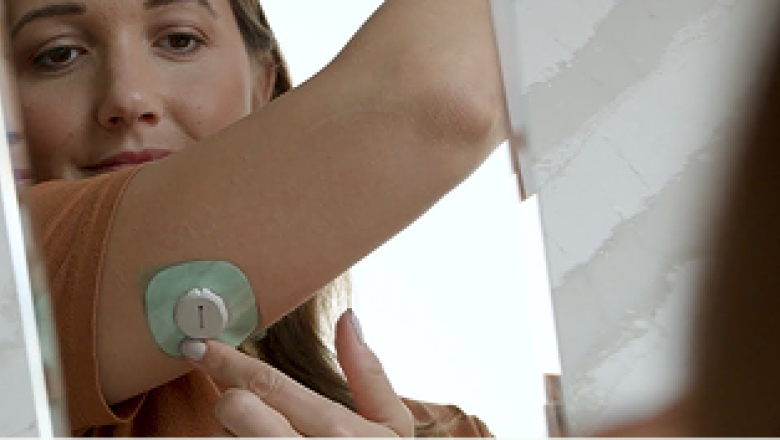
Use the tab to place the overpatch around the sensor.
You may need to look in a mirror for this part.
Rub around the overpatch.
Use the tab to peel off the liner.
Then rub around the overpatch.
Your sensor and overpatch are now complete.
Back on the app follow the instructions to pair the sensor with your app.
Wait for your sensor to pair and tap the pair button when prompted.
Once complete you will enter into your sensor warmup.
The sensor warmup timer lets you know when you’ll start getting readings and alerts.
And that is how you set up your Dexcom G7 app!
This video is for concept illustration only. For complete instructions, read the indications, warnings, precautions, and instructions provided with your Dexcom Continuous Glucose Monitoring System.
For a deeper dive on this topic, visit GlucoseTech

Video
Product Information
Getting Started
Clinicians
Office Staff
Type 1
Type 2 IIT
Type 2 NIT
Pregnancy
Pediatrics