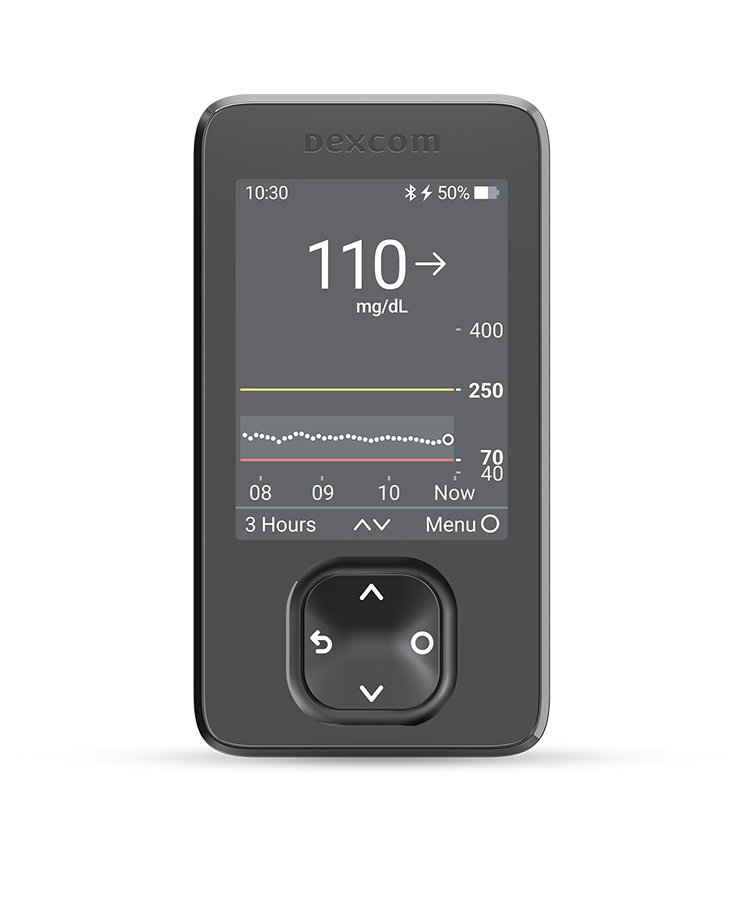

Request a representative visit or G7 15 Day or G7 samples
Why Dexcom G7 was prescribed
Expanded Medicare coverage criteria* includes anyone with diabetes treated with any insulin.

Expanded Medicare coverage criteria* includes anyone with diabetes treated with any insulin.
Steve was able to better manage his glucose levels prior to exercise and increase his time in range because he was ok starting tennis at a lower glucose level. He also has less frequent lows, because now he knows he can eat carbs when he gets an Urgent Low Soon alert. Dexcom G7 alerts help him worry less and feel better out on the court knowing he’ll get an alert if he is going too low.
This was a gradual process of adjusting his alerts and glucose goals. Once he started competing in a glucose range that wasn’t so high, Steve reported that he felt better and his performance improved. He also made other changes to food choices that he noticed were giving him high glucose after eating. Looking at trends and patterns on Dexcom Clarity reports¶ helps Steve see how much time he is spending in target range as well as where he could improve.

Claudia, a 72-year-old female who lives alone and loves to garden. She has a history of level 3 hypoglycemia that required assistance.
Current treatment: Glipizide and metformin
Current A1C: 7.4%
Claudia was planting flowers in her yard when she felt shaky and decided to sit down. A neighbor saw her sitting and looking disoriented and went over to see if she was ok. Claudia said she needed juice or the sugar tablets, which her neighbor quickly retrieved from her kitchen. She drank 4 ounces of juice and ate 2 glucose tabs. Once she felt a bit better, she realized she took her sulfonylurea at lunchtime but got sidetracked planting before she ate. She knew she had experienced very low glucose and decided to call her doctor to discuss.
She went in for an appointment the next day and told her doctor she’s had similar episodes before, and thinks she might have also been low those other times. Her doctor documented in the office visit note that Claudia has had level 3 hypoglycemia that required assistance, then prescribed Dexcom G7. She started on Dexcom G7 as soon as her shipment arrived.
Expanded Medicare coverage criteria* includes level 3 hypoglycemic events that require assistance and are documented in the office note.
Claudia now uses Dexcom G7 consistently and gets alerts if her glucose drops quickly or will be urgently low soon, so she can take action to avoid hypoglycemia. She also gets a low alert that she set to go off when she drops to 85 mg/dL.
Another feature of Dexcom G7 that Claudia says eases her mind and gives her comfort is that the Dexcom G7 mobile app allows her to share her CGM data with up to 10 followers.|| At this time, her neighbor and daughter follow her and get alerted if she is low so they can check in on her.
The two receivers have different hardware.* Please refer to the user guides for information about the hardware.
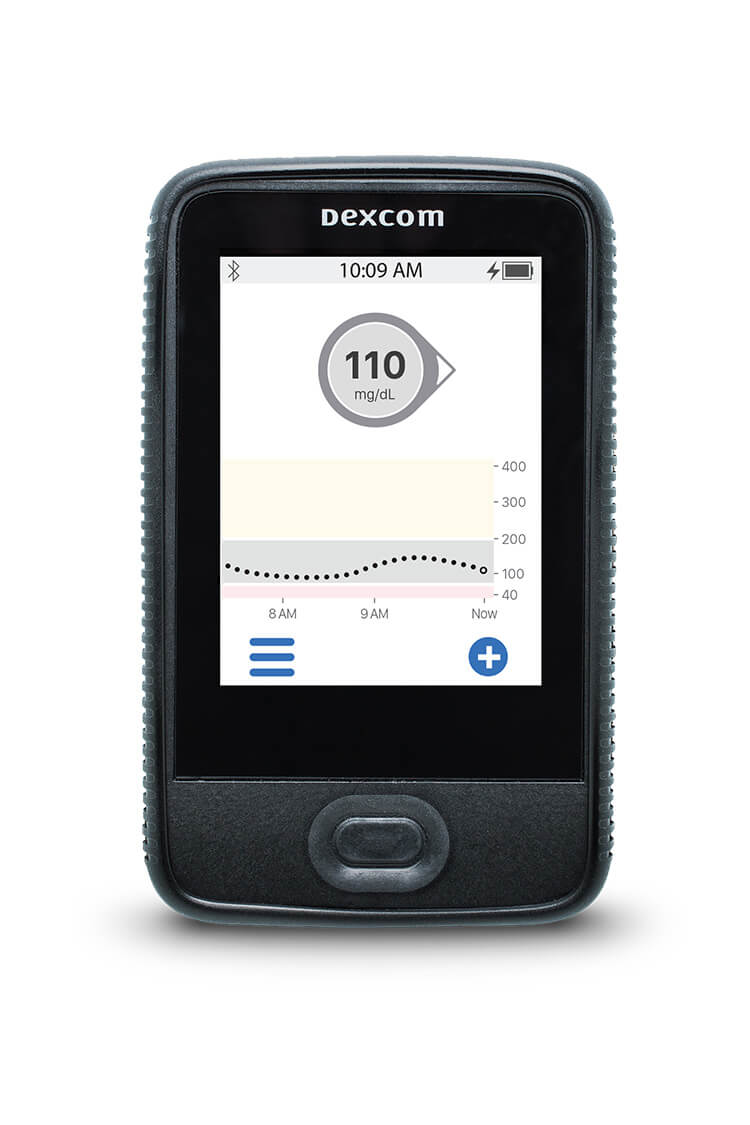
|
|
| Current Dexcom G6 Touchscreen Receiver | New Dexcom G6/G7 Receiver |
* Please note that images are not to scale.
The Current Dexcom G6 Touchscreen Receiver can not be upgraded to G7.
The New Dexcom G6 Touchscreen Receiver can be upgraded from G6 to G7.
Please reference Current Dexcom G6 Touchscreen Receiver user-guide here.
Please reference New Dexcom G6 Receiver user guide here.
Please reference New Dexcom G7 Receiver user guide here.
Medicare requires the use of the receiver for all patients. For all other payers, patients have the choice of what device to view their numbers. Users can also view their numbers on both their phone* and receiver if they choose.
The two receivers have different hardware.* Please refer to the user guides for information about the hardware.
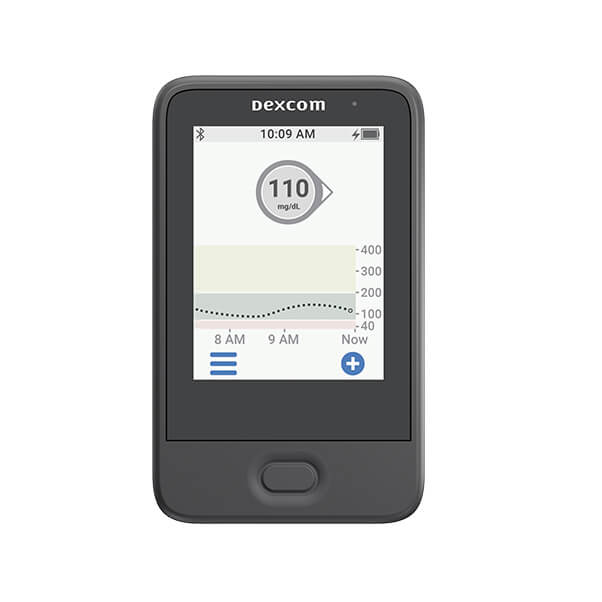
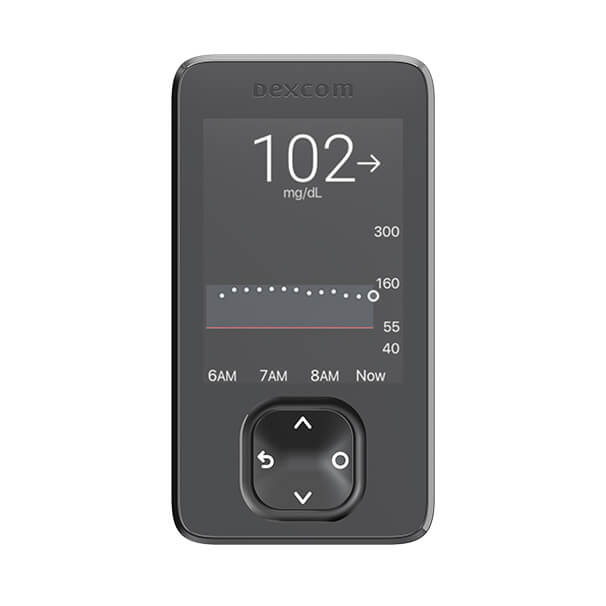
Current Dexcom G6 Touchscreen Receiver & New Dexcom G6/G7 Receiver
* Please note that images are not to scale.
The Current Dexcom G6 Touchscreen Receiver can not be upgraded to G7.
The New Dexcom G6 Touchscreen Receiver can be upgraded from G6 to G7.
Please reference Current Dexcom G6 Touchscreen Receiver user-guide here.
Please reference New Dexcom G6 Receiver user guide here.
Please reference New Dexcom G7 Receiver user guide here.
Yes, the new Dexcom G6 receiver can be upgraded from the G6 to the G7 CGM system once your patient has a G7 prescription and has received the product. To upgrade, please instruct your patient to first use a secure internet connection to upload his/her G6 data to clarity.dexcom.com by logging in with his/her Dexcom account information and clicking Upload. Then, Clarity will ask if he/she wants to upgrade the receiver from G6 to G7. Just click the boxes to confirm that all the requirements are met. Please note that by upgrading the receiver from G6 to G7 your patient will no longer be able to use Dexcom G6 sensors or transmitters with the new Dexcom G6 receiver and your patient will not be able to revert the receiver back to G6. Your patient may opt to update from G6 to G7 any time he/she chooses, just return to Clarity and upload to be asked again.